
We are sorry for losing your business. If there is anything we can do to keep you as our customer, please let our support team know.
Cancel Your Account
To cancel your account:
- Extract your data from CosmoLex.
- From the navigation panel, click Account.
- From the Account left navigation, click Accounts.
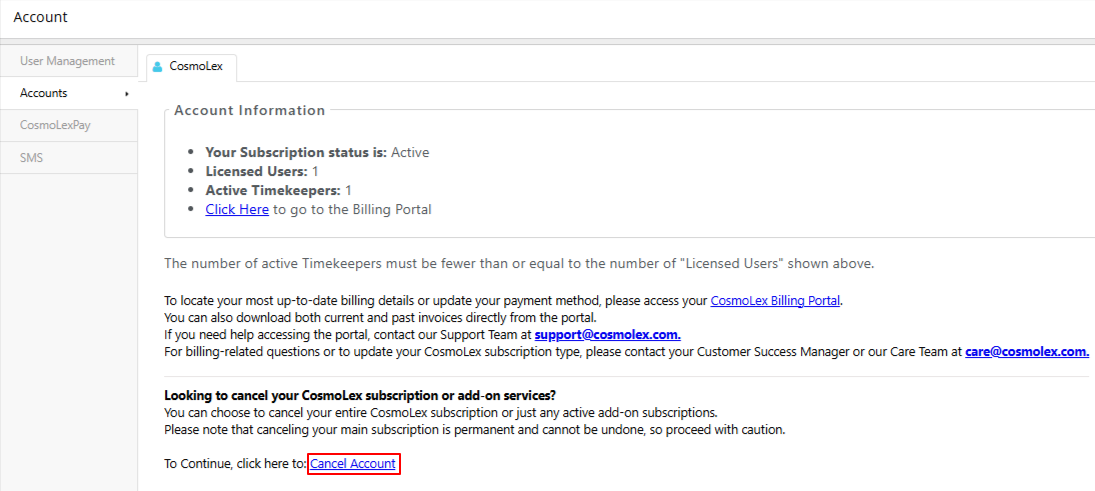
- From the tabs atop the Accounts screen, click CosmoLex.
- Verify your account information and at the bottom of the screen, click Cancel Account.
You will receive a six-digit code on the email address you provided while creating the account.
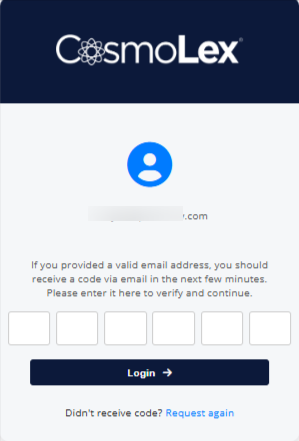
- Enter the code you received and click Login.
A Cancel Subscriptions window will display with a drop-down for the subscription and add-ons.
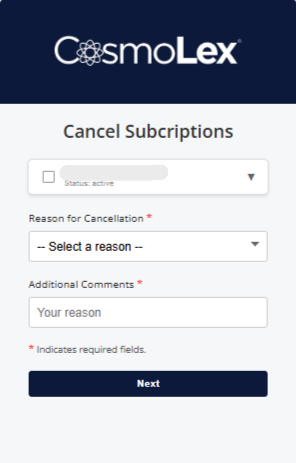
- On the Cancel Subscriptions window, from the drop-down, select the add-on or subscription you wish to cancel.
- From the Reason for Cancellation drop-down, select a reason for your cancellation.
- Add Additional Comments and click Next.
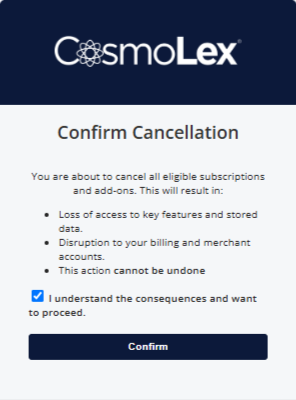
- On the Confirm Cancellation window, if you agree with the consequences related to your cancellation, check the box and click Next.
You will receive a success message informing you that Your request has been submitted successfully.
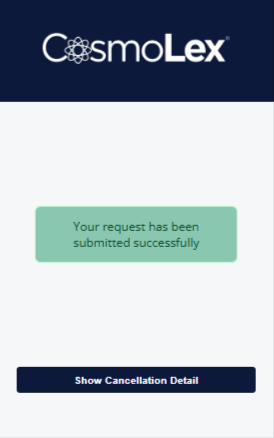
- To verify your request, click Show Cancellation Detail.
For any questions or concerns, contact the CosmoLex Billing Department:
| Phone | 1-866-878-6798 |
|---|---|
| [email protected] |