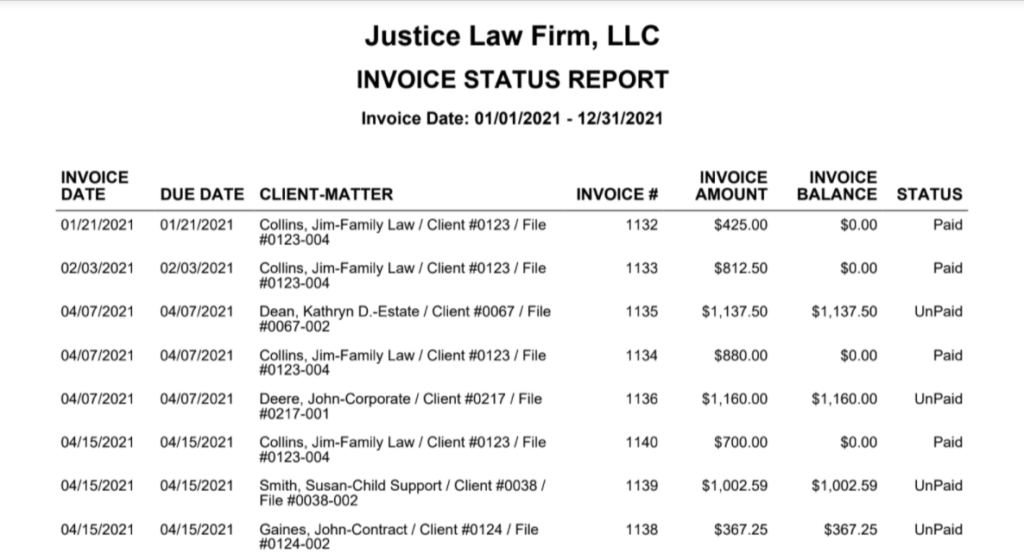
The Invoice Status Report lists the status (paid or unpaid) of invoices in a selected duration for all matter owners or selected matter owners.
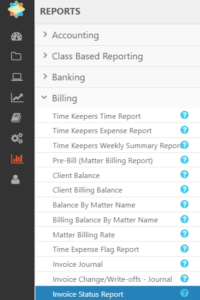
Go to Reports > Billing > Invoice Status Report
Report Filters

- Matter Owner: Choose all matter owners or select specific matter owners. You can check the box to display Active Matter Owners only.
- Invoice Date Range: The date range options you have are Last Month, Last Year, This Month, and This Year, or you can define a custom date range.
View/Download
Click View to preview the report or to download, select the preferred format (Excel/pdf) and click Download.
Learn more about generating reports.
Sample Report